How to Get More Google Reviews Without Breaking the Rules
A practical review routine for local businesses: when and how to ask, what Google and the FTC prohibit, reply templates for every rating and what to track.
Reviews are one of the few things a local business can improve every single week. They help decide who shows up on Google Maps, they’re often the first thing a customer compares, and a business with a steady flow of recent reviews looks alive in a way no advert can fake.
Most happy customers would leave a review. They just aren’t asked at the right moment, in an easy way. This guide is the routine we’d set up for any local business, built so it stays inside Google’s rules and the FTC’s.
Why reviews matter so much
Google says local ranking is based on relevance, distance and prominence, and that review count and rating are part of prominence. Beyond ranking, reviews shape the choice itself: between three businesses on the map, people tend to call the one with more, better and more recent reviews.
Three numbers tell you where a business stands:
| Number | What healthy looks like |
|---|---|
| Review count | At or above the average of the top three competitors for its main search |
| Average rating | 4.5 or higher, with an honest mix of 4s and 5s |
| Recency | New reviews every month, not a burst two years ago |
The rules first
Getting this wrong can get reviews removed, a profile restricted, or in the US, a business in trouble with the FTC. Here’s the short version:
| Allowed | Not allowed |
|---|---|
| Asking every customer for an honest review | Asking only happy customers (“review gating”) |
| Making it easy with a link, QR code or reminder | Discounts, gifts or prize draws in exchange for reviews |
| Replying to every review politely | Writing reviews, or asking staff and family to |
| Inviting unhappy customers to talk privately | Pressuring anyone to remove or change a review |
| Flagging reviews that break Google’s policy | Buying reviews, or reviewing competitors |
Two things deserve emphasis. Review gating is common in review software: a tool asks “How was your visit?” and only sends four- and five-star answers to Google. Google’s policy prohibits selectively soliciting positive reviews, so turn that option off and send everyone to the same page. And since October 2024, the FTC’s rule on fake reviews bans fake and bought reviews in the US, along with suppressing honest negative ones.
Other platforms differ: Yelp, for example, discourages businesses from asking for reviews at all. When in doubt, check each platform’s own guidelines.
When and how to ask
The best routine has four touchpoints:
- Right after: in person, at the counter or when the job is done. A short line and a QR card.
- Same day: a text or email with the direct review link.
- Five days later: one gentle reminder, then stop.
- Every month: count new reviews and the average rating, and share it with the team.
The in-person ask matters most. Keep it natural:
“Thanks for coming in today. We’re a small local business, and honest reviews on Google really help us. There’s a code on this card if you’d like to leave one.”
For texts and emails, short wins. Name, thank you, one sentence on why it helps, the link, and a sign-off from a real person.
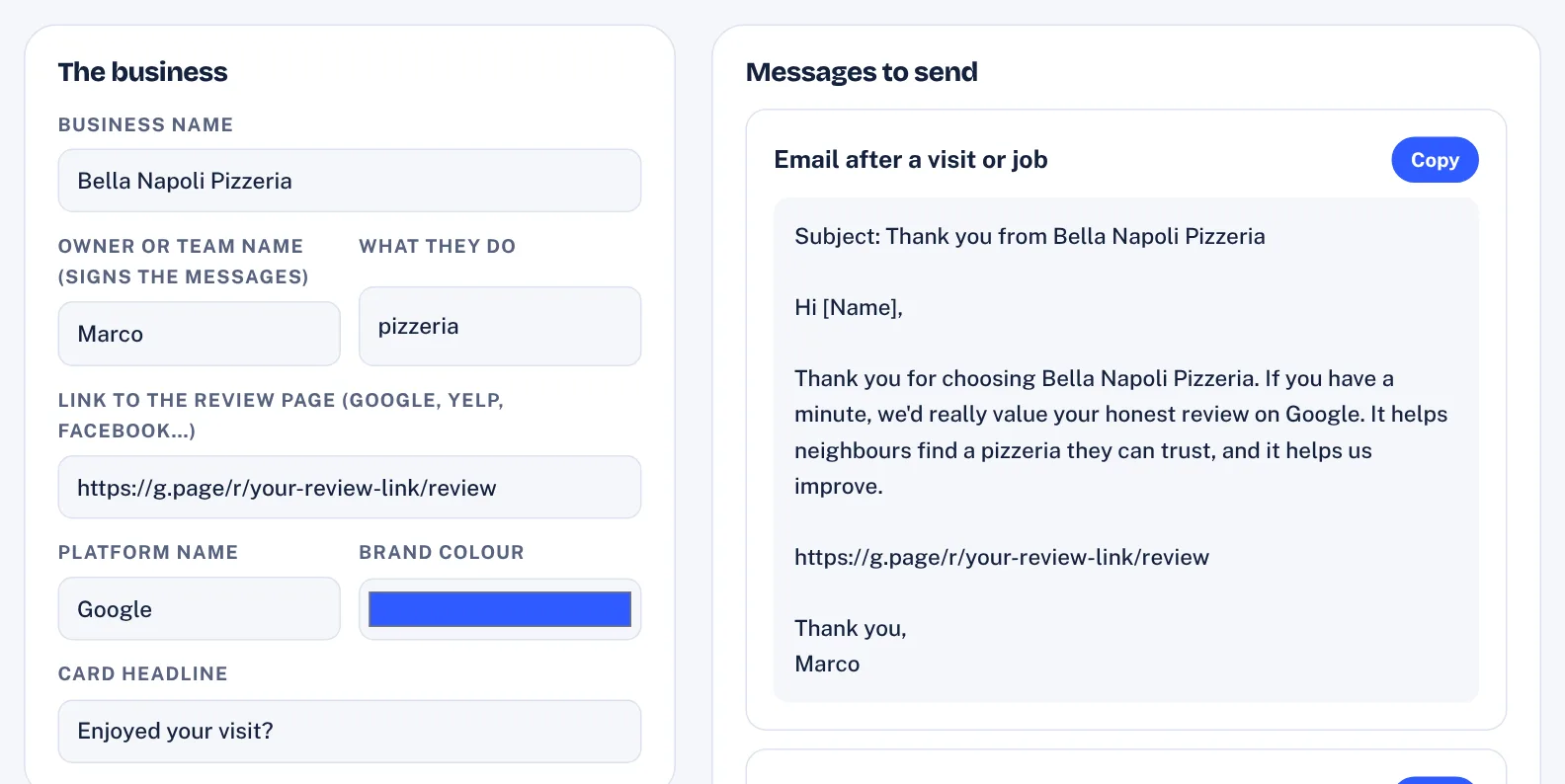
Our Review Request Kit fills in every request (email, SMS, WhatsApp, in person) for a business, plus replies for every star rating and a printable QR flyer with six cut-out cards.
Want these messages written for your business? Our free review request generator fills in every request and reply in seconds.
Make it easy: the direct link and a QR code
Every Google Business Profile has a “ask for reviews” share link in the profile manager. Use it everywhere:
- QR cards at the counter, in the bag, on the invoice, on the van
- The email signature of everyone who talks to customers
- The receipt or invoice footer
- The thank-you page after an online booking
The fewer taps between “I’d be happy to” and the review box, the more reviews you get.
Reply to every review
Replies show that a real person cares, and readers notice. Keep them short, specific and calm:
- 5 stars: thank them by name, mention something specific, invite them back.
- 4 stars: thank them and ask what would have made it a 5.
- 3 stars: thank them for honesty, acknowledge what went wrong, say what you’re doing about it.
- 1–2 stars: apologise, don’t argue, and give a direct way to talk privately.
- Stars with no text: a one-line thank you.
Never share private details about the customer, never argue in public, and don’t paste identical replies everywhere.
Handling a negative review
A calm reply to a bad review often does more for trust than ten five-star reviews, because readers judge the owner by the response.
- Wait an hour, then read it twice.
- Check the facts with the team.
- Reply publicly in three sentences: thank, acknowledge, invite to talk privately.
- Fix it offline where it’s fair: a call, a redo, a refund.
- Don’t ask them to delete it. If they update it after you’ve fixed things, that’s their choice.
- Flag only genuine policy breaks: spam, abuse, conflicts of interest, or a review about the wrong business.
If the same complaint keeps coming back, that’s the real reputation problem, and fixing the cause beats any reply.
What to track every month
- New reviews this month, and the total
- Average rating, overall and for the last 30 days
- Share of reviews with an owner reply, and average reply time
- The most common praise and the most common complaint
- How the business compares with its top three competitors
A one-page monthly summary of these numbers is also the simplest way to prove the value of a reputation service to a client.
Six common mistakes
- Asking in a batch, once a year. A sudden spike of reviews looks odd and fades fast. A steady trickle every week is better for customers and for the profile.
- Sending people to the wrong place. A link to the website or the search results adds taps. Use the profile’s direct review link.
- Asking too often. One request and one reminder per customer is plenty. More feels pushy and can annoy your best customers.
- Letting replies pile up. Ten unanswered reviews tell readers nobody is listening. Set a fixed time each week to reply.
- Copy-paste replies. Identical replies on every review look automated. Change at least one specific detail each time.
- Ignoring what the reviews say. Reviews are free customer research. The most common complaint is the best place to start improving.
Turning it into a service
If you help local businesses with marketing, this routine is a natural monthly service: replies to every review, a request routine, weekly Google posts and a monthly summary. We cover pricing in how to price AI services for local businesses, and finding the right businesses in how to find local businesses invisible on Google Maps.
Tools such as AIReputors bring the lead finding, review replies, alerts, posts and review requests into one app. Whatever you use, apply the same rule: every customer gets the same request, and every review is real. Our AIReputors bonus pack includes the Review Request Kit shown above, built entirely around that rule.
Questions
Can a business ask customers for Google reviews?
Yes. Google allows businesses to ask customers for reviews. What it prohibits is asking only satisfied customers, offering incentives for reviews, and posting fake or bought reviews.
What is review gating?
Review gating means asking customers about their experience first and only inviting the happy ones to leave a public review. Google's policy prohibits selectively soliciting positive reviews, so every customer should get the same request.
Can I offer a discount in exchange for a review?
No. Google prohibits incentives for reviews, including discounts, gifts and prize draws, and in the US the FTC's rule on fake reviews also restricts incentives tied to positive sentiment.
How quickly should a business reply to reviews?
Within a few days, and ideally within 48 hours. Reply to every review, positive or negative, with a short, specific and polite response.