How to Find Local Businesses That Are Invisible on Google Maps
Why owners think they rank fine, how a grid scan shows the truth, how to read it, what to fix first and how to turn one map into a paying local client.
Ask a local plumber whether they show up on Google and most will say yes. They searched for themselves last week and saw their name near the top. What they didn’t see is what a customer three miles away sees when their pipe bursts: three other plumbers, and a phone call that never comes.
That gap is one of the easiest local marketing problems to sell, because it can be shown in one picture. This guide explains why it happens, how to find the businesses it affects, how to read the map, what to fix first and what to say to the owner.
Why owners think they rank fine
Google’s local results, the map with a short list of businesses, are built from three things:
- Distance: how close the business is to the person searching.
- Relevance: how well the business’s profile and website match the search.
- Prominence: how well known and trusted the business is: reviews, photos, activity, mentions around the web.
Distance is why rankings change across town. When owners search from their shop, they’re as close as anyone can be, and Google often knows who they are. They see the best possible version. A customer searching from the other side of town sees a different list, led by businesses that are closer to them or stronger on relevance and prominence.
The result: owners genuinely believe they’re visible, while a large share of nearby customers never see them. Those lost calls don’t show up anywhere. They just don’t happen.
What a grid scan shows
A grid scan checks the same search, say “plumber near me”, from a grid of points around the business: 25 points on a 5×5 grid, or 49 on a 7×7. At each point it records where the business appears. Coloured by position, it looks like a heat map of the town:
| Colour | Position | What it means |
|---|---|---|
| Green | 1 to 3 | Customers here see the business and are likely to call |
| Amber | 4 to 10 | On the list, but most people call someone above it |
| Orange | 11 to 20 | Only people who scroll a long way will see it |
| Red | 20+ | Invisible here; customers call a competitor |
Tools such as ProfitMaps AI run these scans in a few minutes and show the cost in credits before you start. You can also check a few points by hand with a location-spoofing browser extension, but it’s slow and easy to get wrong.
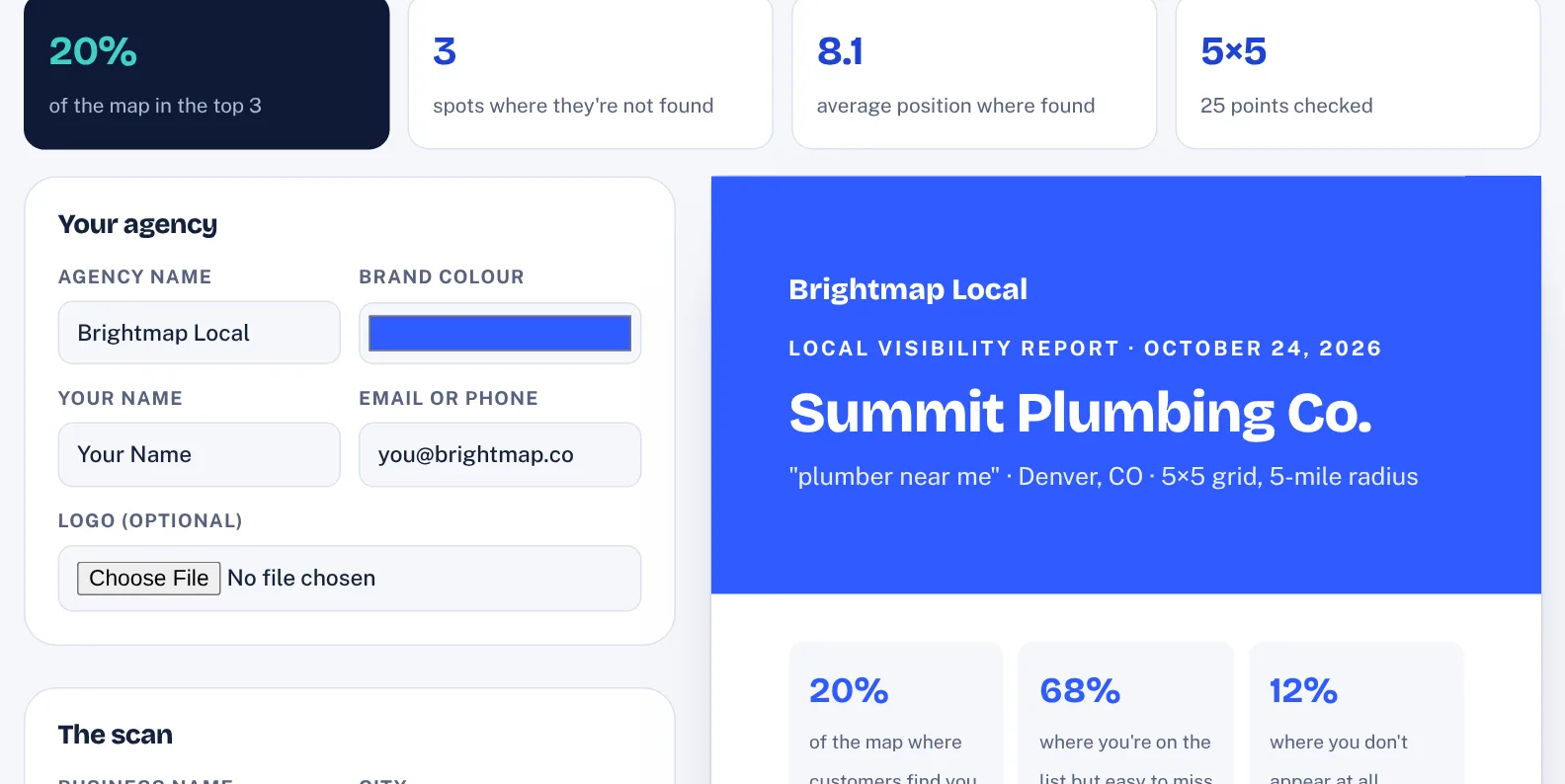
Our Map Visibility Report Builder turns the positions from any scan into a branded two-page report: the colour map, the top-3 share, who ranks ahead and five next steps.
How to find businesses worth scanning
Not every business is a good prospect. Look for these signs:
- The niche depends on urgent, local searches. Plumbers, electricians, HVAC, roofers, locksmiths, garage door repair, water damage, dentists, chiropractors and vets. One job is worth a lot, and customers pick from the map.
- The business is good but quiet online. Decent reviews, but few of them and none recent. No Google posts in months. A website with one page for everything.
- It sits in a competitive area. In towns where several similar businesses are close together, the map changes street by street, and the gaps are dramatic.
A simple routine: pick one niche and one town, list 30 businesses from Google Maps, and scan the ones whose profiles look thin. You’ll usually find several with a mostly red map within the first hour.
How to read the three common patterns
| Pattern | What it usually means | First fix to suggest |
|---|---|---|
| Green middle, red edges | Strong near the address, weak further out. The most common pattern | Service and area pages for the weak side of town |
| Red everywhere | Google doesn’t connect the business with this search | The primary category and the services list on the profile |
| One side strong, one side red | A competitor dominates one area | Reviews and posts that mention that area |
Look at who ranks ahead in the red areas, too. If the same two competitors appear everywhere, compare their profiles with your prospect’s: number of reviews, how recent they are, categories, photos, posts. The differences are your plan.
What to fix first
Start with what changes relevance fastest, then build prominence month after month:
- Categories. The most specific primary category, plus secondary categories for the other main services. Fifteen minutes, often the biggest single change.
- Services and description. Every service people search for, listed with a short line each. A description that says what, where and for whom.
- Photos. Real photos of jobs, team and premises, added every month.
- A review routine. A short link and a natural moment to ask, right after a job goes well. A reply to every review.
- Weekly posts. One short Google post a week: a recent job, a tip, an offer, an area served.
- Service and area pages. One website page per main service and per nearby area that’s red on the map.
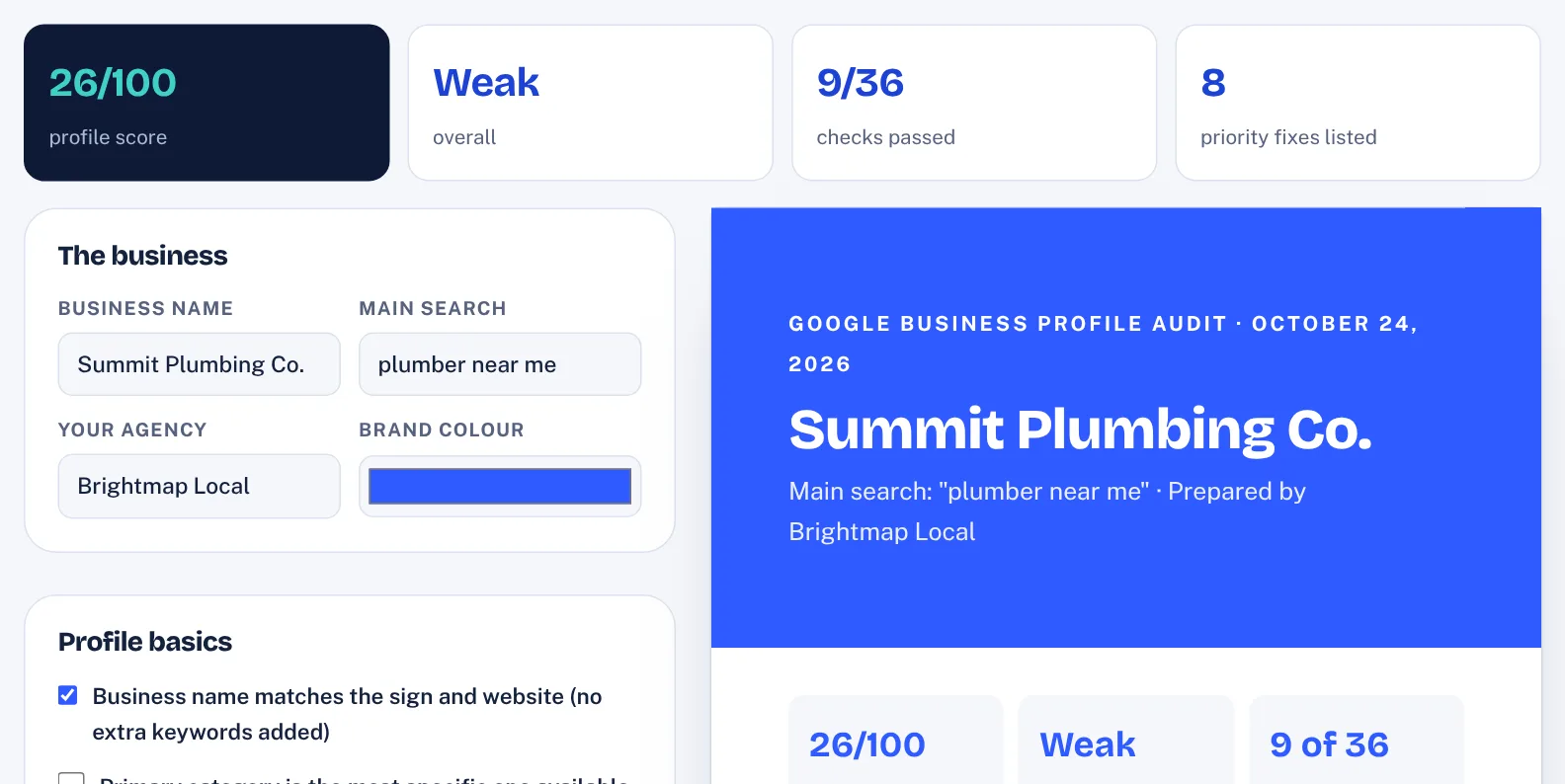
Our Google Business Profile Audit runs 36 checks in six areas, scores the profile out of 100 and ranks the fixes that matter most, so the first month of work writes itself.
How long does it take? Profile fixes can show within weeks; pages and reviews build over months. Every market is different, so set expectations honestly and let the next scan do the talking.
To check a profile item by item, use our free Google Business Profile audit: 36 checks, a score out of 100 and the fixes that matter most.
What to say to the owner
The first message isn’t a pitch. It’s “I made you something.” Lead with their map, keep it short, and let them ask:
Hi Mike, I ran a quick Google Maps check on Summit Plumbing for “plumber near me” from 25 spots around Denver. You’re in the top 3 in 4 of them. In the rest, people nearby see other plumbers first. Here’s the map: [link]. Happy to walk you through it in five minutes if it’s useful.
Three replies you’ll hear often:
- “I look fine when I search.” That’s the point of the map: from the shop, Google knows where you are. The scan checks from around town, the way a stranger would.
- “Can you guarantee number one?” No one honest can. Promise the work, every month, and a new scan with the same settings to show the change.
- “How much?” One line on the fix, one price, no long contract.
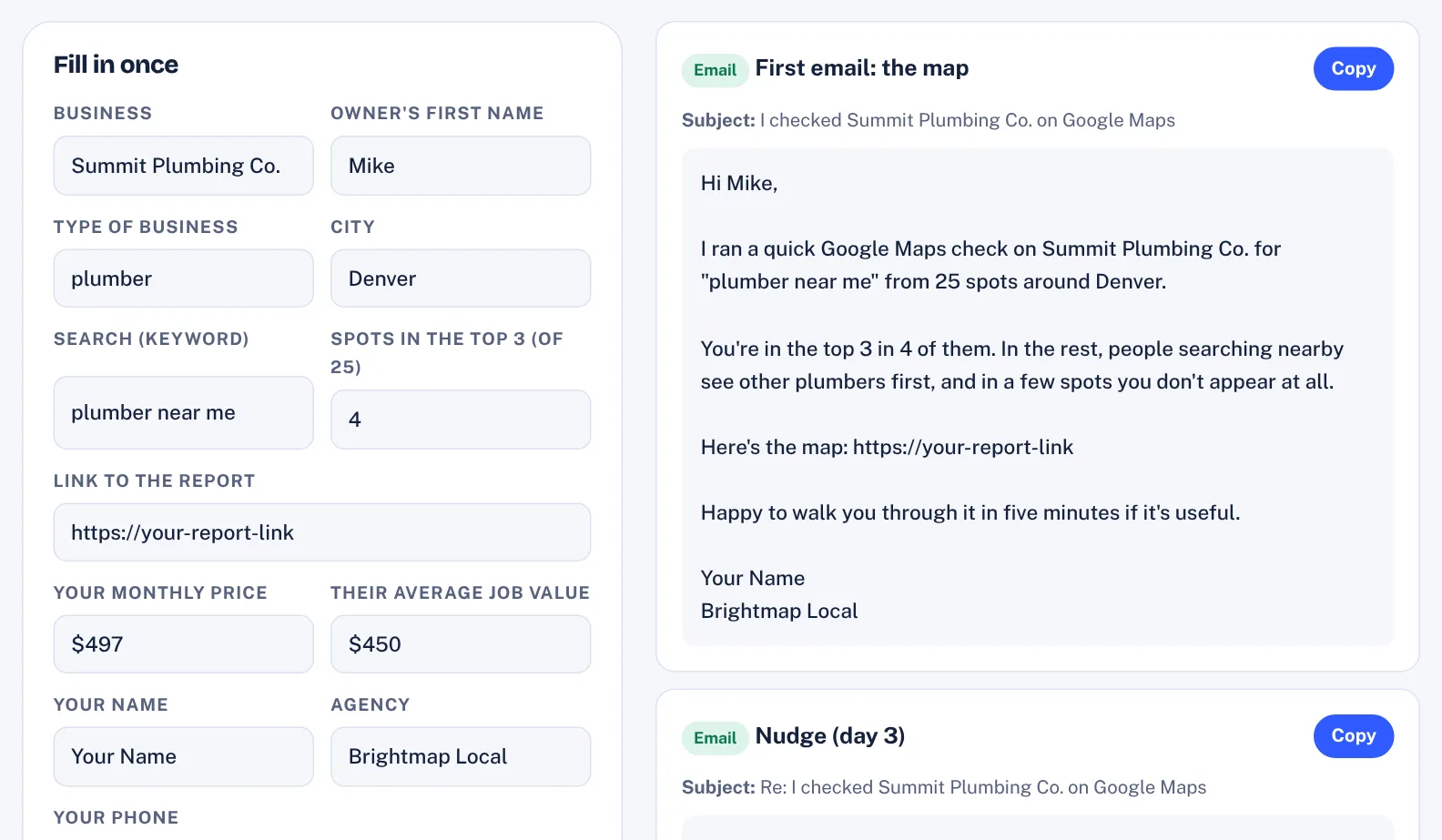
The Map Report Outreach Library fills in 20 messages and objection replies with the business, the top-3 number and your report link.
We cover cold email in more depth in how to write a cold email to a local business.
What to charge
Price on the value of one extra job, not on your hours. Three levels work well: an essentials plan (profile, weekly posts, monthly scan), a growth plan (plus reviews and a new page each month) and a full plan (plus a website and listings clean-up). For a small US business, monthly fees in the low hundreds to around a thousand dollars are common, but set your own for your market. A quick check: your fee should be covered by one or two extra jobs, and your own time and tools should take less than half of it. Our guide to pricing AI services for local businesses uses the same approach.
The monthly routine that keeps clients
- Every week: one Google post, replies to new reviews.
- Every month: new photos, one new page, a scan with the same search, grid and radius.
- At month end: a one-page report showing what moved, who’s ahead and the next step.
The monthly scan is what keeps clients. It turns invisible work into a picture the owner can see, and it keeps everyone honest about results.
Tools that help
You can do every step above by hand. If you’d like it faster, ProfitMaps AI runs the scans and builds the reports, sites and posts, and the seven tools in our ProfitMaps AI bonus pack cover the rest: the branded report, the profile audit, outreach, pricing, proposals, a 30-day plan and a 12-week post planner. If you’re new to starting a local service business, read how to start a local AI agency next.
Questions
Why does a business rank differently in different parts of town?
Google's local results weigh distance from the person searching, alongside relevance and prominence. A business can be first near its address and missing a few miles away, because closer competitors win there.
What is a grid scan?
A grid scan checks the same Google search from many points around a business, usually 25 (5×5) or 49 (7×7), and records the position at each point. It shows where customers find the business and where they don't.
Can you guarantee a business will rank first on Google Maps?
No. Google decides rankings and they depend on many factors. Sell the work of improving the profile, reviews, posts and pages, and use a monthly scan with the same settings to show the real change.
Which businesses are the best first clients?
Businesses where one job is worth a few hundred dollars or more and customers search on their phone when they need help, such as plumbers, electricians, roofers, dentists and locksmiths.